_edited.png)


Free Sizing Help: Call 602.430.0279
Not sure which size fits your room? Call us and we'll help you pick the right enclosure for free. Need a perfect fit? Enclosures are also available in custom inch-by-inch sizing.
Build Your Golf Simulator Your Way
Carl's Place DIY Golf Simulator Enclosure Kit with Impact Screen
Save 5% with promo code 1UP on this enclosure and our other Carl's Place enclosure kits when you order on pixelgolfco.com.
The Carl's Place DIY Golf Simulator Enclosure Kit pairs a BlackStop™ enclosure with your choice of Premium White or High-Contrast Gray impact screen, plus the steel corner fittings you need to build the frame. It's a flexible, budget-friendly way to turn a garage, basement, bonus room or shop into a full golf simulator.
You build the frame with 1" EMT conduit, which you can buy locally using Carl's cut list, or add the optional Pipe Framing Kit for a simpler install. The result is a clean, floor-to-ceiling impact area that feels like standing on the tee box.
What's Included
Impact screen in your choice of Premium White or High-Contrast Gray
BlackStop™ enclosure (top, sides and back)
Steel corner fittings for the frame
Zip ties for attaching the screen
Made to order by Carl's Place
1" EMT pipe is not included. Use Carl's cut list or add the optional Pipe Framing Kit.
Choose Your Impact Screen
Premium White Golf Impact Screen: Carl's triple-layer premium screen, built for sharp image quality, quieter impacts and less bounceback. A great fit for dedicated simulator rooms with good light control.
High-Contrast Gray Golf Impact Screen: The gray surface improves perceived contrast and black levels, so it's a strong choice for rooms with some ambient light, multipurpose spaces, or very bright projectors.
Enclosure Sizes & Dimensions
Sizes are listed as height x width in feet. Each enclosure is 59.125" deep at the top and 67.375" deep at the base.
7.7' x 10': 124.75" W x 95.81" H
7.7' x 13': 163.33" W x 95.81" H
8' x 8': 100" W x 100" H
8' x 10.5': 130.33" W x 100" H
8.5' x 11.5': 140.33" W x 107.5" H
9' x 12': 146.33" W x 112" H
Add-On Options
Build your complete setup in one order. Add-on prices are based on the enclosure size you choose:
Pipe Framing Kit: every pre-cut 1" EMT pipe for your frame. No store trip, no cutting.
Back Cover Kit: attaches across the back of the enclosure to block ambient light. Add the Back Cover Pipe Kit for pre-cut pipes.
Foam Insert Kit: fills the gap behind the side flaps for extra frame protection.
8' Net Wall Extensions (Pair): attach with hook-and-loop strips for extra protection from mis-hits.
Safety Baffles: vinyl baffles that hang from the ceiling to catch high shots and rebounds.
Need a Different Size?
If none of the standard sizes fit your room, Choose My Own Size on Carl's Place to build a custom DIY enclosure. Custom sizes are ordered directly through Carl's Place, so promo code 1UP does not apply to them.
Free Support When You Order Through Pixel Golf
Every order includes help from real golfers and simulator owners who use these products themselves:
Phone calls and FaceTime walkthroughs
Room sizing and layout guidance
Projector placement recommendations
Launch monitor spacing help
Screen material selection help
Product compatibility guidance
DIY installation resources and setup tips
Pixel Golf Recommendation
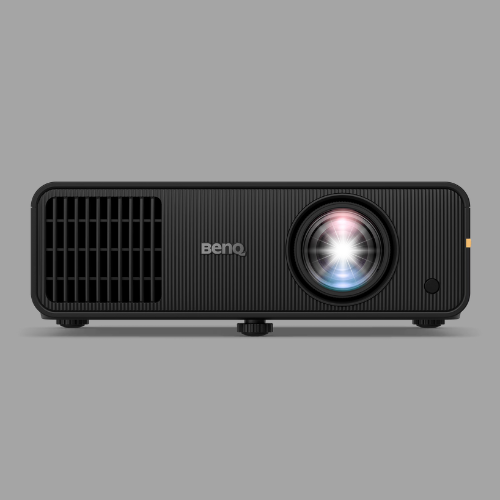
Choose Premium White for a dedicated, darker simulator room where you want the brightest image. Go with High-Contrast Gray if your space has windows or other light you can't fully control, or if you're pairing it with a high-brightness projector like the BenQ AK800ST or AK900ST.
Not sure which size fits your space?
Pixel Golf offers free golf simulator consultations. We can help you pick the right enclosure size, screen material, projector and mounting location before you buy.
Questions? Contact us at pixelgolfco@gmail.com or 602.430.0279.